
What Is a Visual Schedule and How Do You Use One?
A practical guide to creating and teaching visual schedules for everyday routines at home, in school, and in the community.
By Adaptive Strides Editorial Team · Educational guide · October 20, 2026
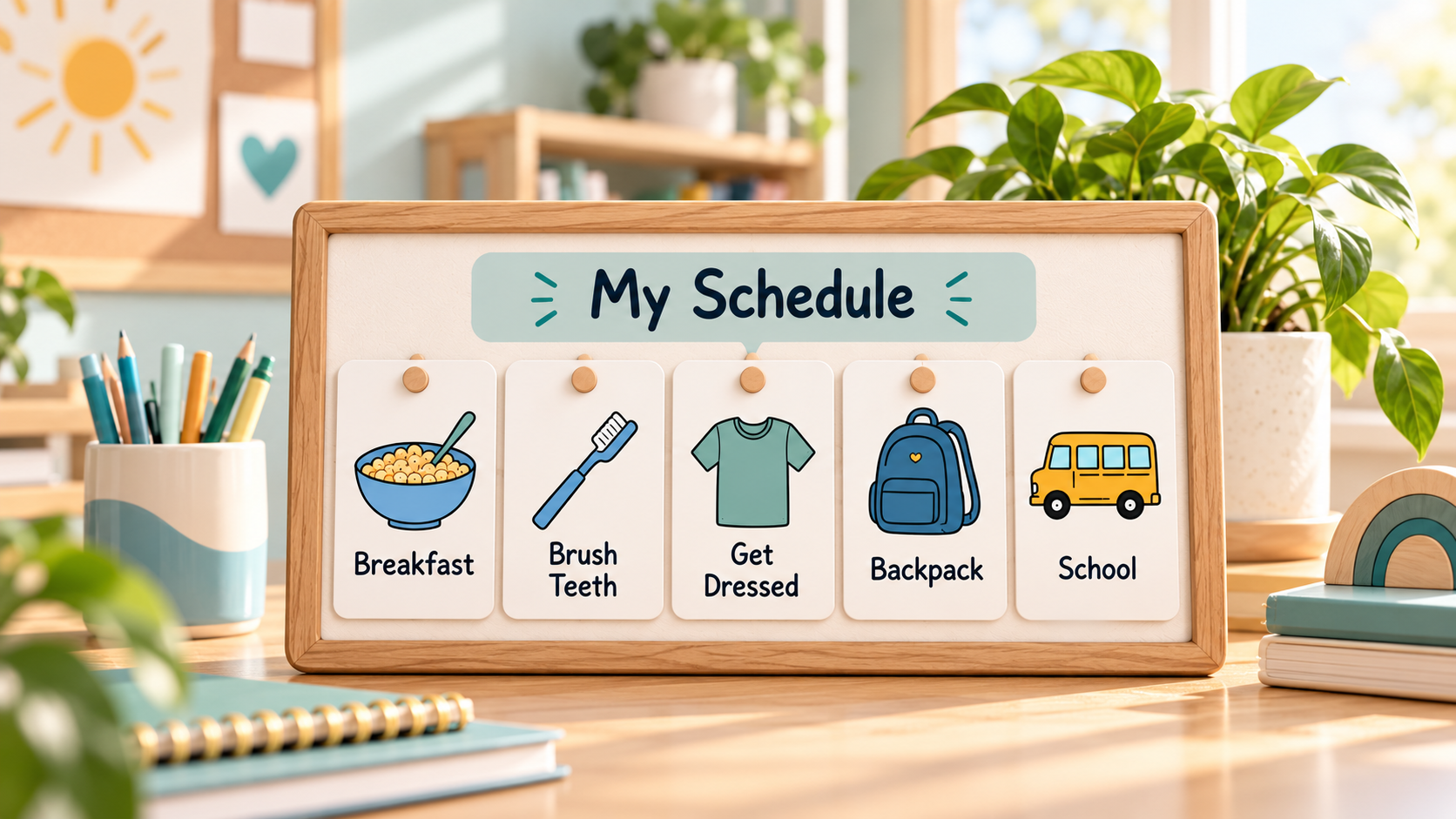
“What are we doing next?” is a common question during busy mornings, classroom transitions, and community activities. A visual schedule can make the answer easier to understand without relying only on spoken reminders.
What is a visual schedule?
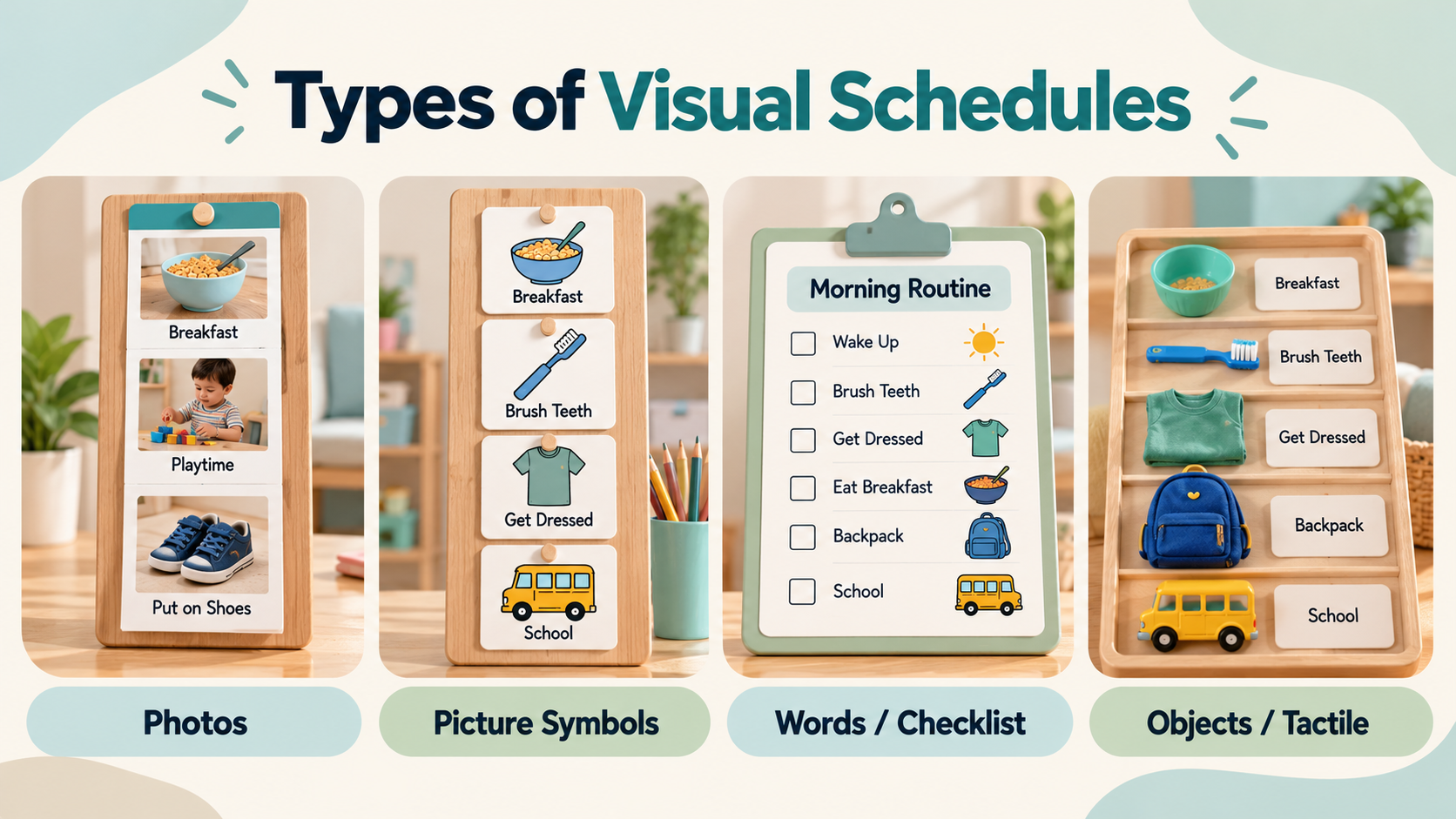
A visual schedule is an arrangement of pictures, photographs, written words, objects, or symbols that shows the order of activities or steps in a routine. A schedule might show an entire school day, a morning routine, or only two activities such as first wash hands, then eat snack.
Some people benefit from photos of familiar places and objects; others prefer icons, text, or digital schedules. The most useful format is one the individual can understand and access.
Why are visual schedules important?
Visual schedules can make expectations more predictable and give learners a way to check what comes next. Research on visual supports, particularly in autism education, suggests potential benefits for following routines, completing tasks, and participating more independently. Results vary by person, setting, and implementation, so a schedule should be tailored and adjusted based on how well it works. See sources.
A schedule is an information and independence support—not a requirement to comply without choices. It should allow changes, preferences, breaks, and meaningful communication.
How to create and use a visual schedule
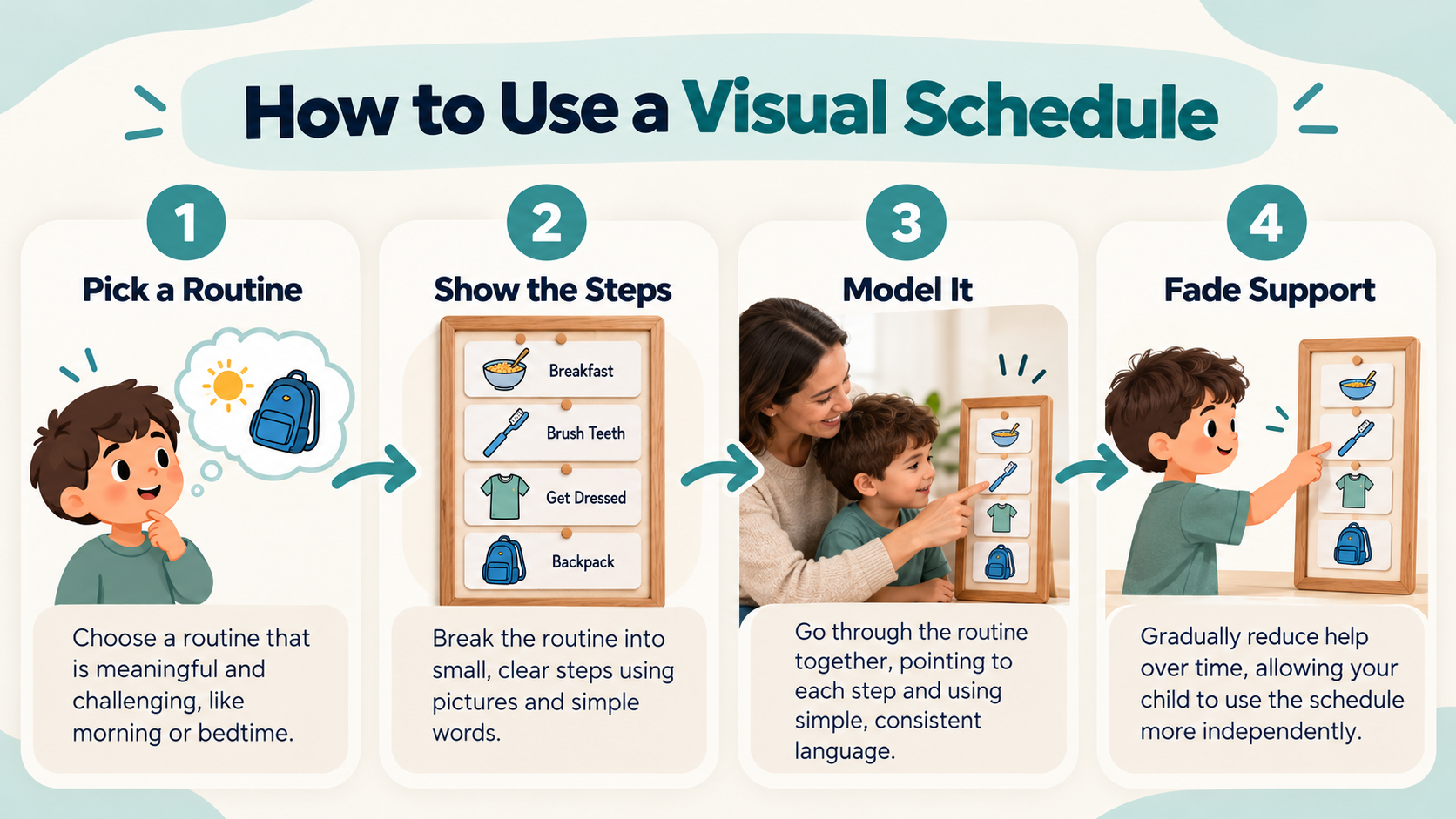
1. Pick one routine
Choose a predictable part of the day, such as getting ready for school, arriving in class, or preparing for bedtime. Starting with two or three steps is often more manageable than a full-day schedule.
2. Write the actual steps in order
List concrete actions, rather than vague labels. For example, instead of “get ready,” use “get dressed,” “brush teeth,” and “put on shoes.”
3. Choose an accessible format
Try real photographs, simple symbols, printed words, tactile objects, or a device, depending on the learner’s needs. Use clear contrast and readable labels, and make the schedule available where the routine occurs.
4. Model how to check the schedule
Point to the first item, briefly name the activity, and participate in that activity together. When it is done, show how to mark it complete by checking a box, removing a card, or moving it to a “finished” space. Then check what comes next.
5. Support independence gradually
Give only the help the learner needs, and reduce prompts as their understanding grows. Look for whether they begin checking the schedule on their own, not just whether they finish tasks after adult reminders.
6. Make changes visible
Unexpected events happen. If plans change, update the schedule and explain the change in an accessible way. A “change” or “choice” card can be helpful; avoid presenting a schedule as a rigid promise.
7. Review whether it helps
Observe whether the learner understands the schedule, can access it, and shows greater independence or fewer repeated questions. If not, change the pictures, number of steps, placement, or teaching approach rather than assuming visual schedules are unsuitable.
Real-life visual schedule examples
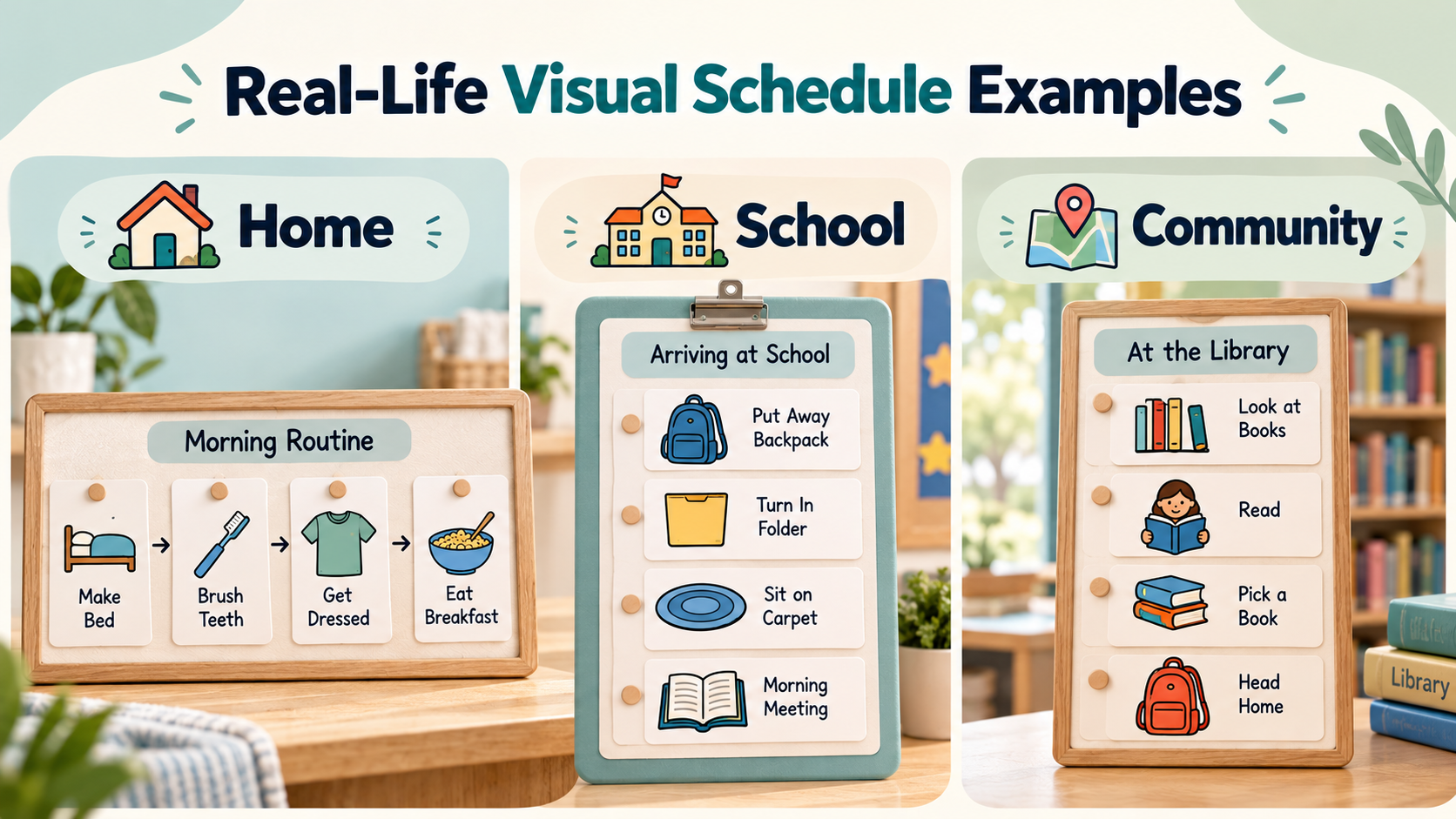
Breakfast → Brush teeth → Get dressed → Backpack. A caregiver reviews the next item with the child and lets them mark each completed step.
Put away belongings → Check in → Morning activity. A teacher places the schedule by the classroom entrance so learners can check it when they arrive.
Enter library → Choose a book → Check out → Go home. A portable picture strip helps clarify the sequence while keeping room for preferences and flexibility.
Common challenges and useful adjustments
- The schedule is ignored: Check whether the learner recognizes the pictures and understands what each one represents. Model it within a familiar routine.
- There are too many steps: Show only the next two or three activities, then expand when useful.
- Transitions are still difficult: Explore whether the activity, timing, sensory environment, communication demands, or unmet needs are the barrier. A schedule alone may not resolve them.
- The routine changes: Introduce a visible change card and communicate what is different; where possible, offer choices.
- The learner relies on adult prompts: Practice checking the schedule, offer time to respond, and gradually reduce reminders.
Related Resources
Looking for printable supports? Explore the Visual Supports and Schedules collections in the Adaptive Strides Shop.
Individual downloadable products will appear here once released. No product is required to use the strategies in this guide.
Frequently asked questions
Are visual schedules only for autistic children?
No. Visual schedules may be useful for people of different ages and support needs, including learners who benefit from seeing the order of activities.
What is the difference between a visual schedule and a First/Then board?
A First/Then board usually shows two activities. A visual schedule can show two, several, or many activities across a longer routine.
Should I use pictures or words?
Choose a format the learner understands. Photographs, symbols, text, objects, or combinations can all work depending on preferences and access needs.
Do I need to laminate or purchase anything?
No. Paper, drawings, sticky notes, or a simple written checklist can work. The format matters less than clarity, accessibility, and teaching how to use it.
What if the person does not want to follow the schedule?
Use the schedule to communicate information, not to override consent or ignore distress. Check whether the activities, pacing, choices, or support needs should change.
Continue learning
Explore more guidance as new articles are published in the Adaptive Strides Learning Center.
References and further reading
- National Professional Development Center on Autism Spectrum Disorders. Visual Support (VS): Evidence-Based Practice Brief Packet (2016).
- Rutherford, M., et al. Visual supports at home and in the community for individuals with autism spectrum disorders: A scoping review. Autism (2020).
- Nebraska Autism Spectrum Disorders Network. Visual Schedules.
This article is general educational information. Tailor teaching strategies to individual needs, and coordinate with the learner and their support team when relevant.